Dated records
Upload dates identify the recordings, not the day a build was released. Keep the Android listing and the two web snapshots separate.
| Record date | Where | What is recorded |
|---|---|---|
| May 28, 2026 upload | Android cup menu | Ten named cup cards, plus a locked Coming Soon card |
| June 10, 2026 upload | Web recording | v.2026.05.23(po); collection counter 20/300 |
| July 7, 2026 upload | Web recording | v.2026.06.06(po); owned-card counter 20/330 |
| August 1, 2026 listing update | Google Play | 280+ players, 160 national/club teams and 10 cups advertised |
Cards: compare the denominator
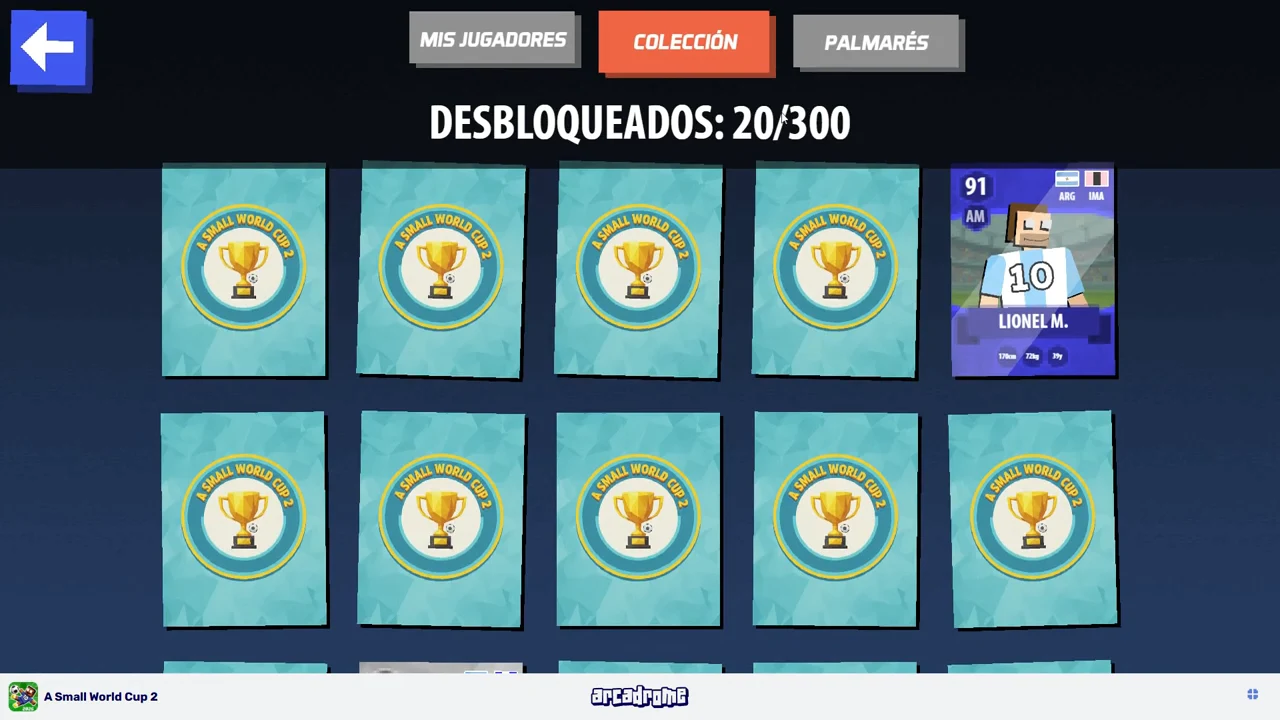
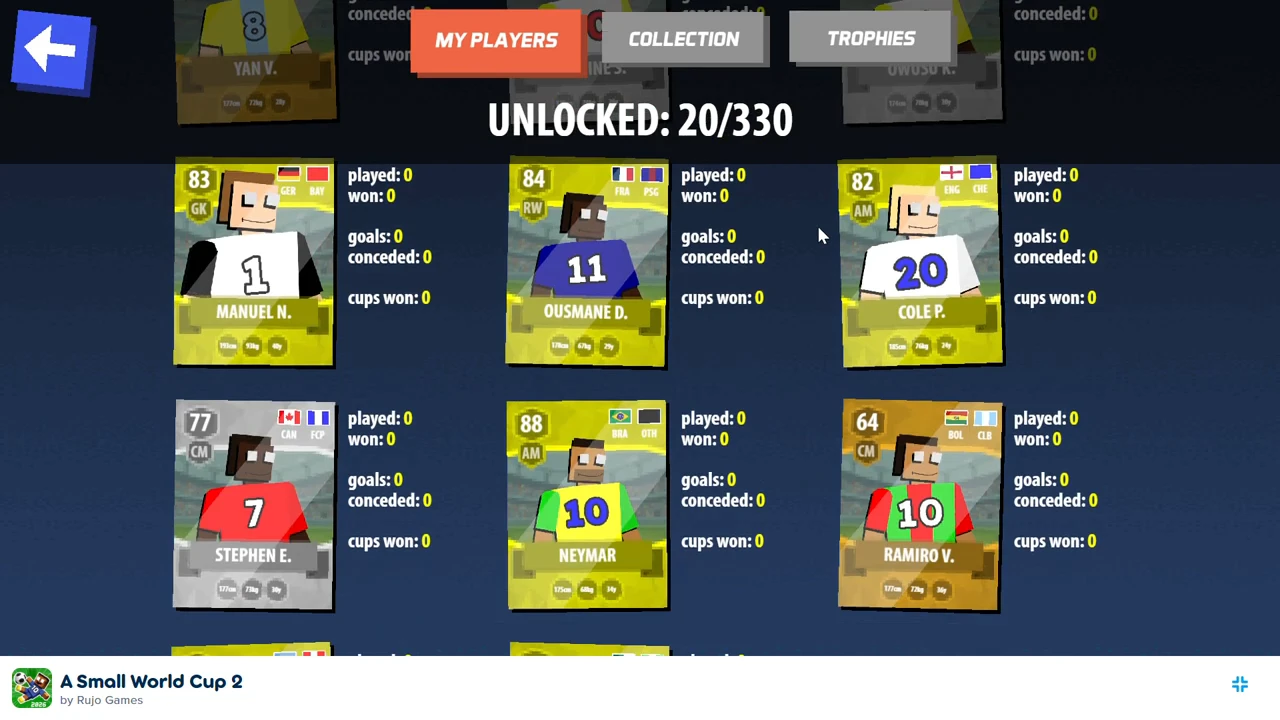
The earlier screen displays 20/300; the later owned-card screen displays 20/330. The numerator is unlocked cards on the recorded account, while the denominator is the displayed collection total. These are different accounts and recordings. The difference between the displayed totals is 30, but this pair does not identify 30 newly added cards, their release date or their unlock conditions.
Teams: keep account additions separate
The earlier pack result shows a new-team row with NZL, NGA, USA, ACM, ATM, BAY, NFO and WHU. Those are unlocks reported for that opening. Do not log them as eight teams newly released to the whole game.
Tournaments: record the menu that is visible
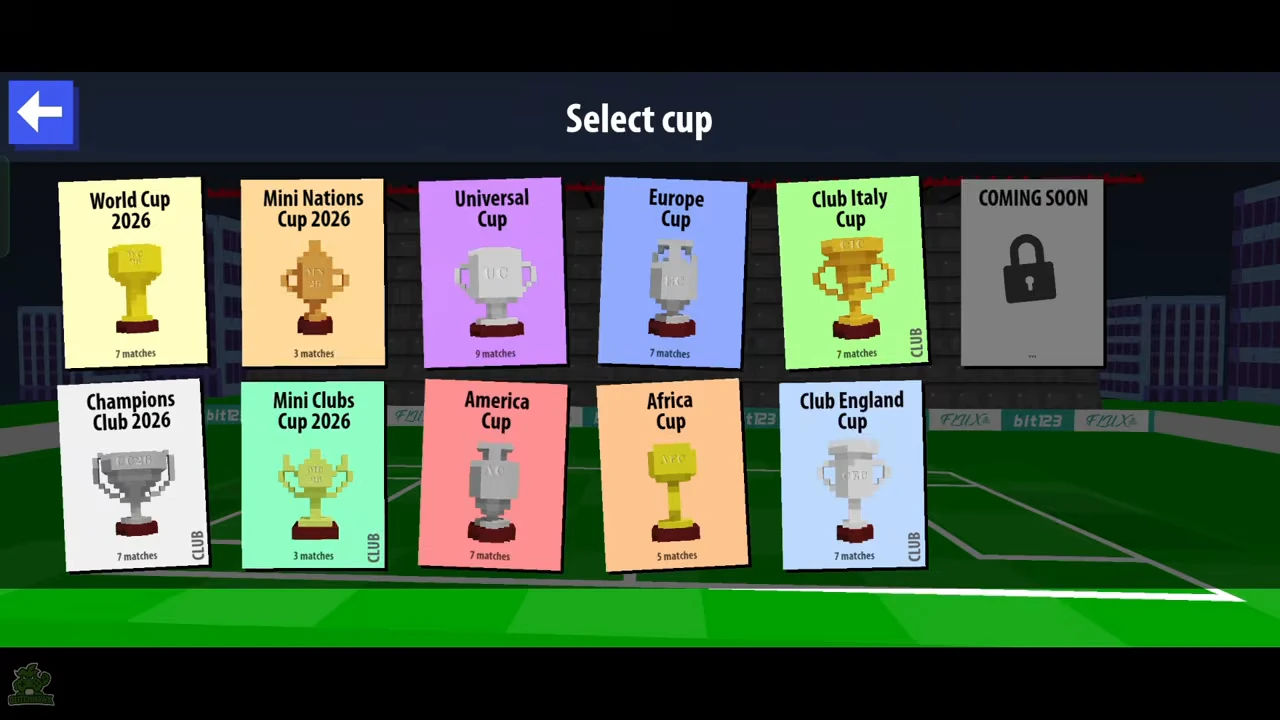
The recorded menu contains ten named cups and a separate locked Coming Soon card. The locked card is not an eleventh named cup. This image establishes the menu snapshot; it does not establish when each cup was added or whether every future build uses the same list.
Check your own build before comparing
Record the home-screen version, platform and date first. Then record the collection numerator and denominator separately, and copy the cup names that your menu actually displays. Retain the previous snapshot when adding a new one so that an account gain is not mistaken for a catalogue change.
No named per-card, per-team or per-cup release list was present in the official listing read for this record. A store update date alone does not establish those changes.
- Save your home-screen build label with the collection or cup-menu screenshot.
- Compare the same field across records: total with total, account unlocks with account unlocks.
- Label a missing release date or item-level change as unconfirmed until an official note or matching before-and-after evidence identifies it.