Compare the native menu labels
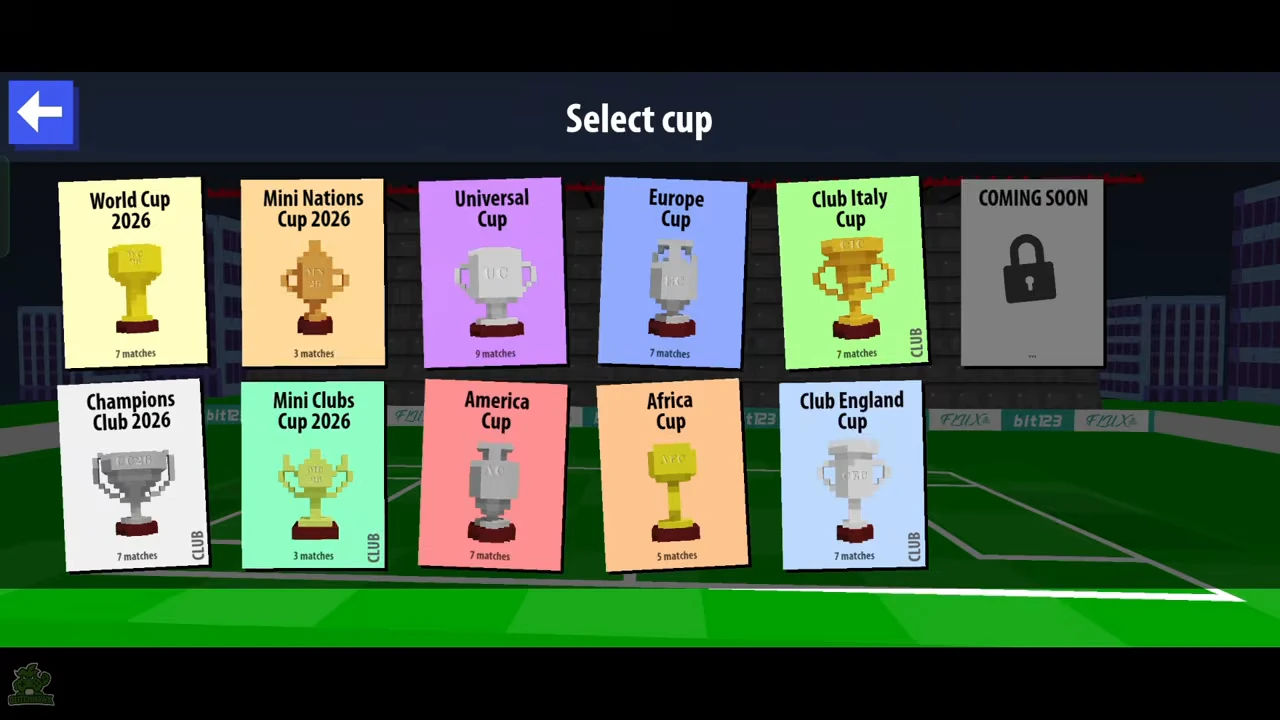
Universal Cup is the purple card marked 9 matches. World Cup 2026 and several other cards show 7. Africa Cup shows 5 and the two Mini cups show 3. These figures are directly visible in the recorded menu; they do not require an inferred fatigue or player-rotation system.
| Native menu example | Displayed matches | Compared with World Cup 2026 |
|---|---|---|
| World Cup 2026 | 7 | Reference run length |
| Universal Cup | 9 | 2 more matches |
| Europe Cup | 7 | Same displayed length |
| Africa Cup | 5 | 2 fewer matches |
Check the destination before starting
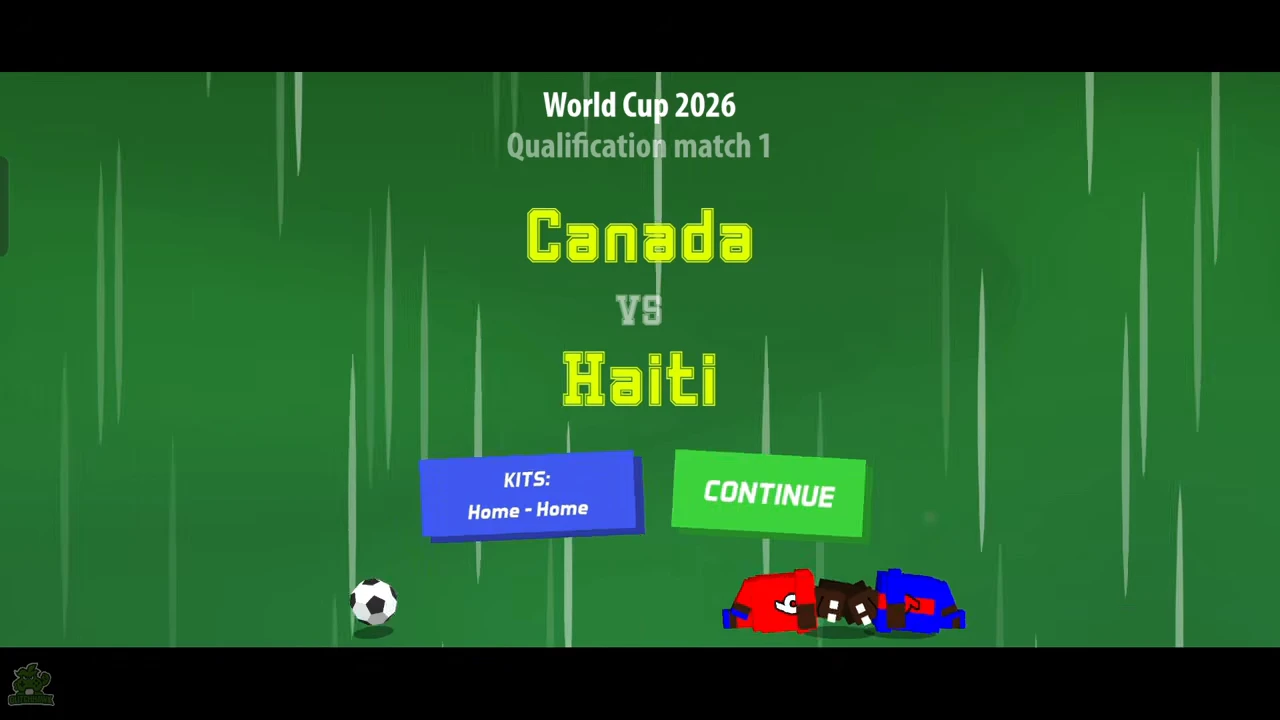
The creator enters World Cup 2026 with Canada and Jonathan D. The introduction reads Qualification match 1 and Canada versus Haiti; CONTINUE starts that pairing. This is a concrete check that the selection led into the right cup. Do the same for the label on your own introduction rather than assuming that every large cup starts in a quarter-final.
- Open PLAY and choose the named cup.
- Select an available team and player.
- Read the cup and round on the introduction.
- Use CONTINUE for the displayed opponent.
Follow the completed match to the next pairing
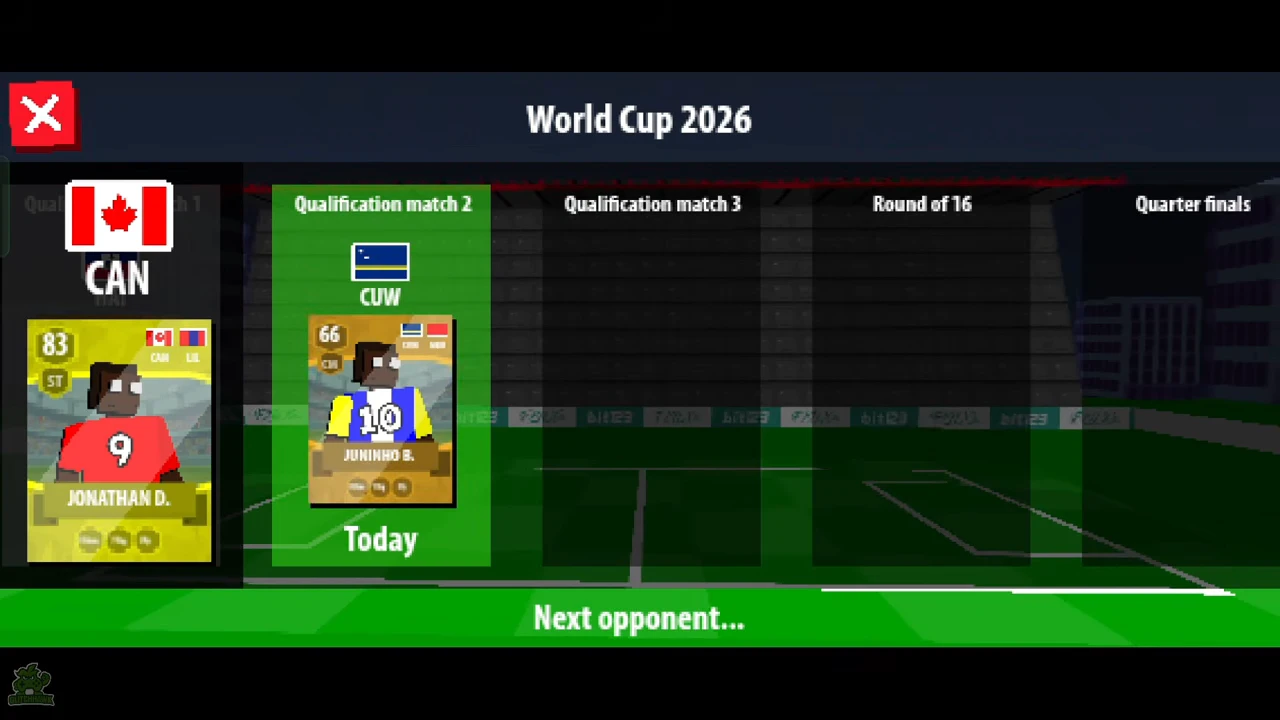
After the first match and its reward screen, the bracket highlights Qualification match 2 and shows the next opponent as CUW. The bottom says Next opponent. Qualification match 3, Round of 16 and Quarter finals are also visible farther along the bracket. Read the current stage and opponent before advancing; later columns on this screen do not mean those matches have already been completed.
Recognize a completed seven-match World Cup
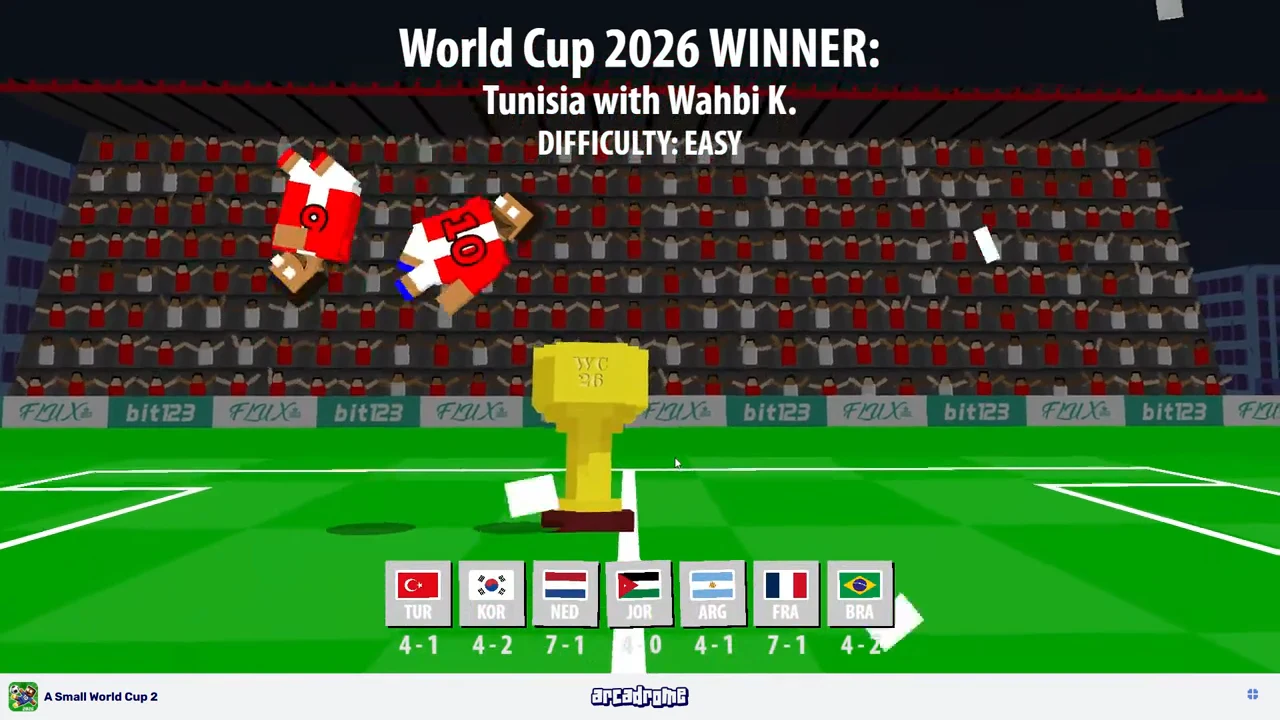
A separate Spanish-language web recording, published June 10, 2026, completes World Cup 2026 with Tunisia and Wahbi K. on Easy. The final is a 4–2 win over Brazil. The winner screen shows seven opponent/result entries, ending with Brazil. This is a completed run, unlike the earlier Android example that only follows the first stage into its next pairing. These recordings have different menus and builds; do not merge all their available-cup lists into one current-version promise.
Claim the reward and open the pack
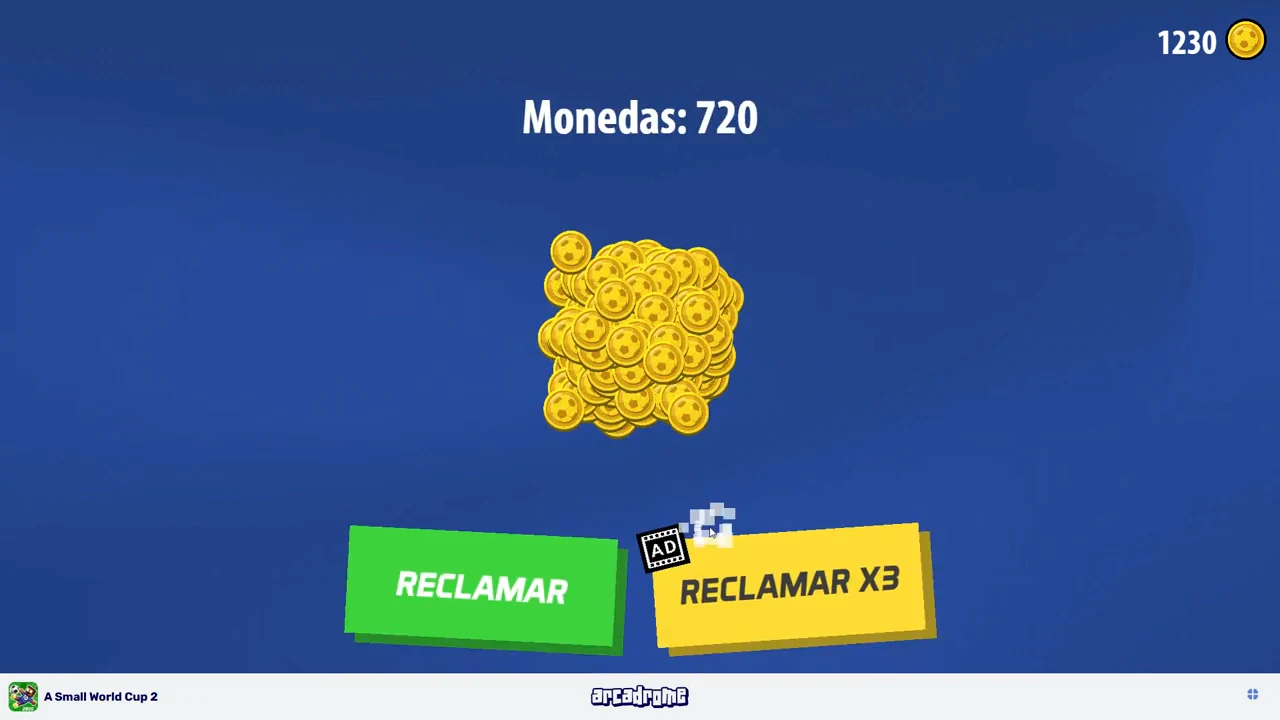
Use CONTINUAR after the winner presentation. The settled cup reward reads Monedas: 720 while the wallet is 1,230. The ordinary RECLAMAR path raises the wallet to 1,950, then presents a Top pack labelled 4–6 players. Open it and finish the reveals to reach the new-player and new-team summary. RECLAMAR X3 has an ad marker; the recording does not demonstrate a successful triple claim.
- Continue from the winner screen.
- Wait for the cup reward amount to finish animating.
- Use the ordinary claim and check the settled wallet.
- Open the awarded pack and finish the reveals.
- Review the separate new-player and new-team rows before continuing.
| Displayed checkpoint | Observed value |
|---|---|
| Wallet before cup claim | 1,230 |
| Cup coin reward | 720 |
| Wallet after ordinary claim | 1,950 |
| Next reward | Top pack, advertised 4–6 players |
Keep Universal selection separate from a completed route
The nine-match Universal card is directly observed, but this recording does not enter that cup and play all its stages. The menu therefore supports choosing by advertised match count; it does not establish Universal’s complete round names, final reward or loss rules. Do not copy the World Cup qualification sequence into Universal as though both brackets had been verified.
Check interruptions in your own run
Before leaving a long run, read any exit or resume message shown by the current game. Neither this footage nor the nine-match label establishes a save-and-resume guarantee. Use the shorter three-match options when you want a smaller advertised match count, while keeping match duration and rewards separate from that choice.